A dead simple cookbook app to manage your personal recipes. No fuss, just cooking.
From my grandmother Line, I inherited my love for food and cooking. Before she passed, she put together a collection of family recipes. My brother and I turned it into a printed book so everyone could have a copy.
But our cuisine keeps evolving. Taste changes, new dishes appear, old ones fade. Five years after that first edition, I wanted a better way to organize our recipes. So I built Dead Simple Cookbook: a minimal iOS app to capture, search, and cook from your own recipes.

Shortcuts
Save recipe from image
With this Apple Shortcut, you can extract a recipe from any photo and import it to the Cookbook app. Simply open up the recipe image, hit "Share", and select the Shortcut.
Save recipe from website
With this Apple Shortcut, you can extract a recipe from a website and import it to the Cookbook app. When on a website with a recipe, hit "Share" and select the Shortcut.
Dictate recipe
With this Apple Shortcut, you can dictate a recipe and import it to the Cookbook app. Simply run the Shortcut and tell it your recipe out loud.
FAQs
What can I do with the Cookbook App?
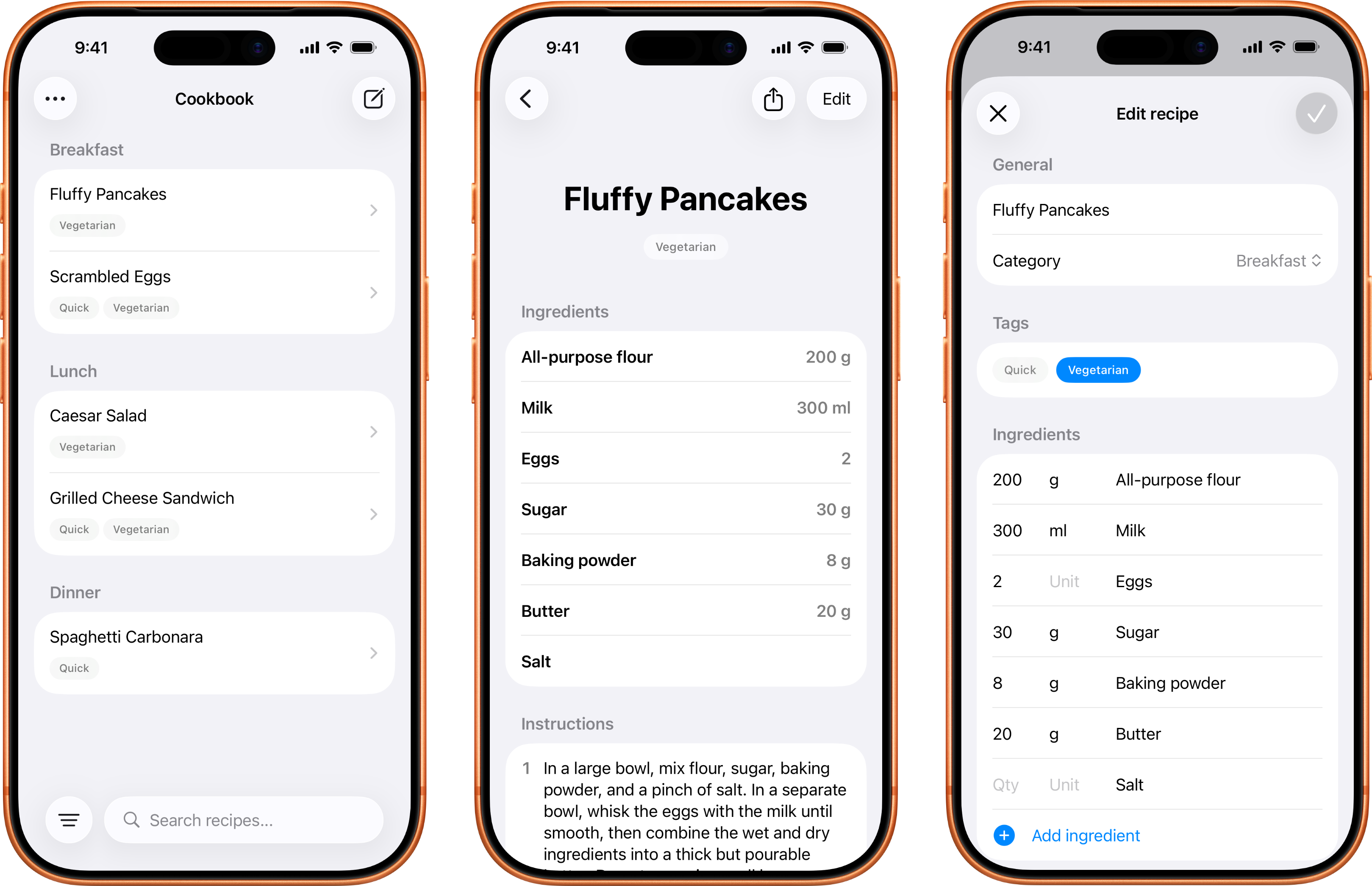
Create, organize, and store your recipes—simple as that. Add ingredients, cooking instructions, and split both into named sections for multi-part recipes. Categorize and/or tag by e.g. meal type, and search through everything instantly. Set serving sizes and scale ingredient quantities up or down with a tap.
What can I NOT do with the app?
The app won't sync across devices, or store photos. It's intentionally minimal. Think of it as a focused recipe notebook, not a social cooking platform.
Can I import my recipes?
Yes. Select a JSON file with your recipes and the app handles the rest. There's a template you can export to see the exact format. You can also use Apple Shortcuts to import recipes programmatically from images or websites!
Does it work on iPad and Mac?
The app is optimized for iPhone, but should at least run on iPad and Mac, too.
Can I share recipes with others?
Yes. Tap the share button on any recipe and send it via AirDrop, Messages, Mail—whatever works. Recipients with the Cookbook App can import it directly.
Can I back up my recipes?
Yes, you can export your entire collection as a JSON file. When you need it, import it back. You can also add a source field to any recipe to track where it came from.
What if I accidentally delete a recipe?
It's recoverable. Deleted recipes are kept for up to 30 days before they're gone for good.
What if I find a bug or want a feature?
Shoot me an email. I can't promise I'll add every feature request—this is a side project, after all—but I'm listening.
About me
Hi, I'm Jacob Stahl, a product designer, foodie, and home cook.
When searching for a way to store and manage my personal recipes, I could only find cluttered solutions full of ads and features I didn't need. So I built and launched my own minimalistic app.
Maybe you find it useful, too? Give it a try!